

Conversion tracking with Shopify
With the squarelovin Shopify app, conversion tracking is set up for you. The app adds a squarelovin pixel to your store that records completed purchases, so you can see which sales your UGC and your creators generated. You don’t need to add any tracking code to your thank-you page.
Example: A visitor clicks a product in your squarelovin gallery and buys it a few minutes later. The pixel records the order, and the sale shows up in squarelovin.
Before you start
Section titled “Before you start”- Your Shopify store is connected to squarelovin. See Connect your Shopify store and import products.
- You approved the permissions the squarelovin app asks for in Shopify, including access to customer events and pixels.
How the pixel is set up
Section titled “How the pixel is set up”The pixel is added automatically when you connect your Shopify store to squarelovin. It runs on your checkout and sends an event to squarelovin each time an order is completed.
If your store has several squarelovin subscriptions, for example the UGC Manager and the Creator Tool, they share one pixel. Each subscription gets its own conversions.
Check that the pixel is connected
Section titled “Check that the pixel is connected”-
In your Shopify admin, open Settings → Customer events.
-
Find the Squarelovin pixel in the Pixel list.
-
Check the Status column. A green Web badge means the pixel is active on your store.
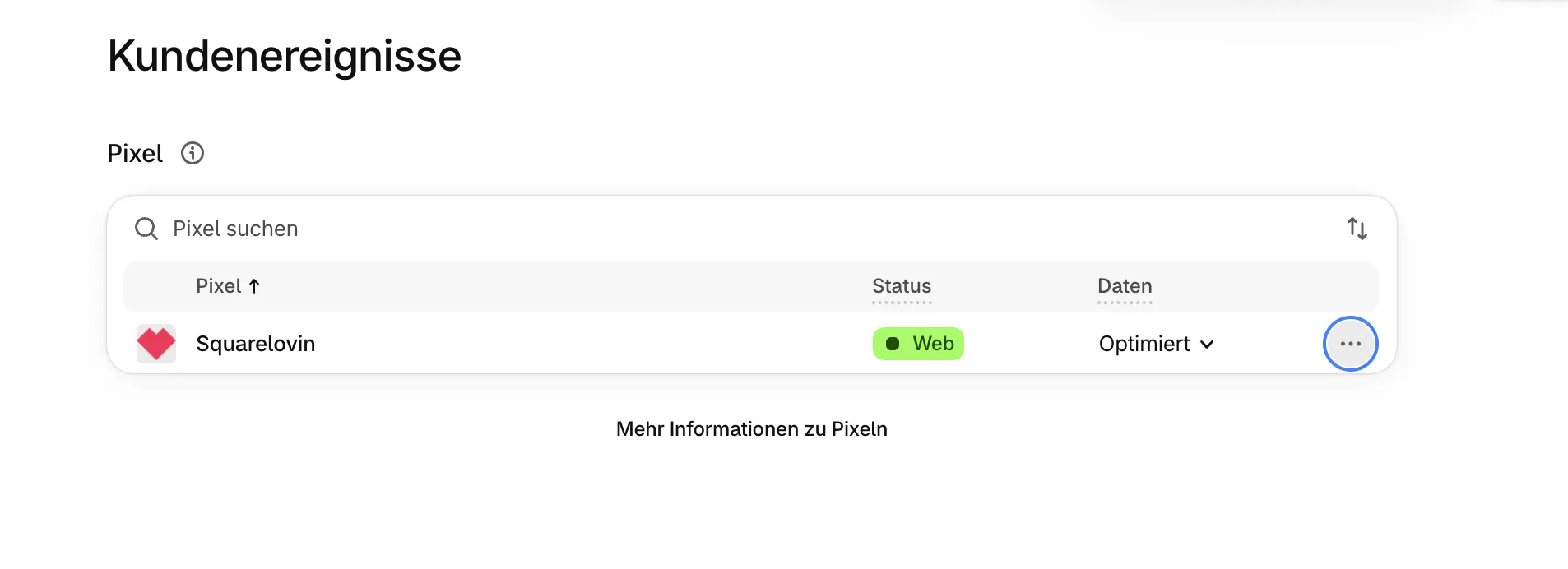
If you don’t see the squarelovin pixel, see Common issues.
Which data is recorded
Section titled “Which data is recorded”For each completed order, the pixel sends:
- the order ID
- the order total and currency
- the products in the order, with quantity and price
- the discount code, if one was used
- whether it is the customer’s first order
- the squarelovin IDs that link the order to the content or creator link the visitor interacted with
The pixel does not send names, email addresses, phone numbers or addresses of your customers.
When orders are not counted
Section titled “When orders are not counted”Missing consent. The pixel respects your store’s cookie consent. In regions where consent is required, for example the EEA and the UK, the pixel only runs for visitors who allow tracking in your cookie banner. Orders from visitors who decline are not counted. Your conversion numbers in squarelovin can therefore be lower than the number of orders in Shopify.
Delay. New conversions appear in squarelovin with a delay of about one day.
Common issues
Section titled “Common issues”The squarelovin pixel is not listed under Customer events. The pixel is created when you connect your store, and only if the squarelovin app has the required permissions. If you connected your store before conversion tracking was available, open the squarelovin app in your Shopify admin under Apps and approve the updated permissions. Then contact support, so we can activate the pixel for your store.
The pixel is listed, but the Status column doesn’t show the green Web badge. Contact support and tell us your store URL.
I made a test order, but it doesn’t show up in squarelovin. Conversions appear after about one day. Also check that you allowed tracking in your store’s cookie banner before you placed the order.
squarelovin shows fewer conversions than Shopify shows orders. Orders from visitors who declined tracking in your cookie banner are not counted. Orders from the last day may not be included yet.
Related articles
Section titled “Related articles”- Connect your Shopify store and import products
- Setting up conversion tracking for stores without Shopify